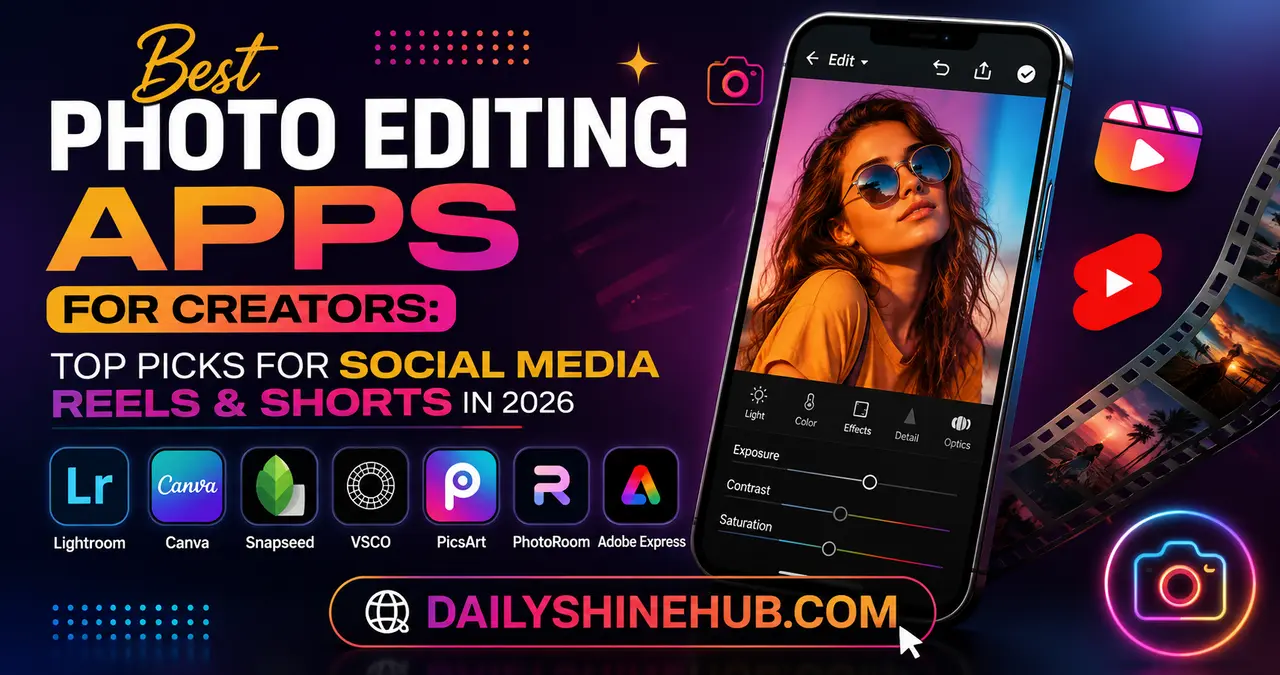
In the world of Instagram Reels, TikTok, YouTube Shorts, and Facebook Reels, first impressions happen in seconds. Before viewers even watch your video, they often notice your thumbnail, profile aesthetic, or promotional images. That’s why choosing the best photo editing apps is no longer optional—it’s an essential part of a creator’s workflow.
Whether you’re a content creator, influencer, small business owner, or aspiring social media personality, the right editing app helps you create eye-catching visuals that stop the scroll. From color grading and AI-powered retouching to background removal and template-based editing, modern apps can dramatically improve your content without requiring professional editing skills. Creators who also follow the wider consumer-tech landscape can explore Gizmo and Gadgets for more coverage of emerging devices and digital tools.
This guide explores the best photo editing apps specifically for creators who focus on Reels, Shorts, and other short-form content.
Why Photo Editing Matters for Reels and Shorts Creators
While short-form platforms are video-first, photos play a huge role in your overall content strategy.
High-quality edited images help you:
- Design attention-grabbing Reel covers
- Create engaging carousel posts
- Maintain a consistent Instagram feed
- Produce YouTube Shorts thumbnails
- Design promotional stories and announcements
- Build a recognizable personal brand
Strong visual branding increases credibility and encourages more profile visits, follows, and engagement.
What Creators Should Look for in a Photo Editing App
Not every editing app is built for content creators. The best options combine speed, creativity, and social media optimization.
Important features include:
- AI-powered editing tools
- One-tap background removal
- Presets and filters
- Batch editing
- Mobile-friendly workflow
- High-resolution export
- Text overlays
- Sticker and graphic support
- Social media templates
- Cloud syncing across devices
The ideal app lets you edit quickly without sacrificing quality.
Comparison of the Best Photo Editing Apps for Social Media Creators
| App | Best For | Standout Feature | Platform | Free Version |
|---|---|---|---|---|
| Adobe Lightroom | Professional color editing | Advanced presets & color grading | iOS, Android, Desktop | Yes |
| Canva | Reel covers & social graphics | Thousands of templates | Web, iOS, Android | Yes |
| Snapseed | Free professional editing | Selective editing tools | iOS, Android | Yes |
| VSCO | Aesthetic creators | Premium film-style filters | iOS, Android | Yes |
| PicsArt | Creative social media content | AI tools & stickers | iOS, Android | Yes |
| PhotoRoom | Product creators & influencers | AI background removal | iOS, Android, Web | Yes |
| Adobe Express | Fast content creation | Brand kits & AI editing | Web, iOS, Android | Yes |
Adobe Lightroom: The Gold Standard for Professional Creators
Adobe Lightroom remains one of the most powerful editing apps available.
It’s particularly useful for creators who want consistent branding across every post.
Key Features
- Professional color correction
- AI masking
- Lighting adjustments
- Preset support
- RAW photo editing
- Batch editing
Lightroom allows creators to save custom presets, making every image maintain the same aesthetic with minimal effort.
Best for: Influencers, travel creators, photographers, and lifestyle brands.
Canva: The Best Choice for Reel Covers and Social Graphics
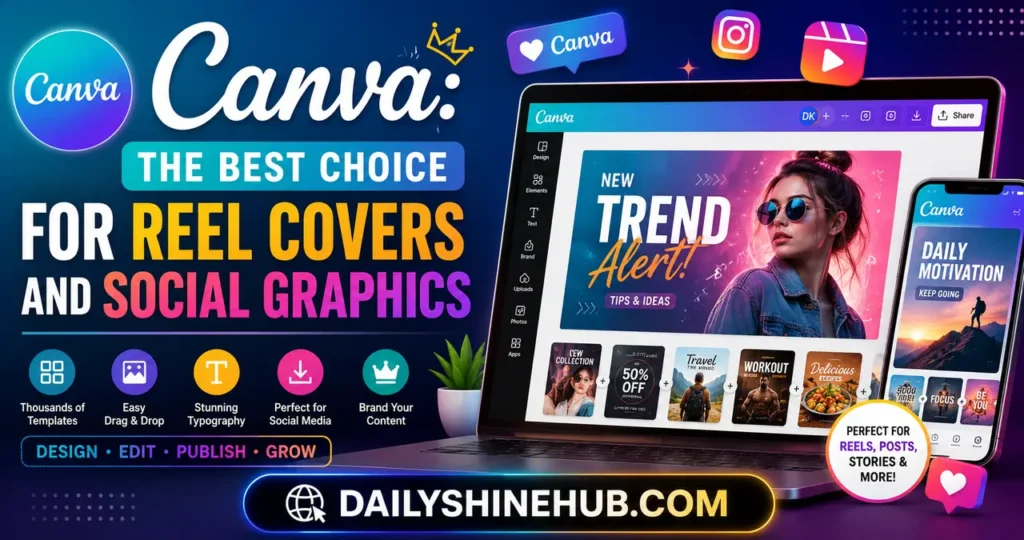
Canva has evolved into much more than a graphic design platform.
For creators, it serves as a complete visual content studio.
You can design:
- Reel cover images
- YouTube Shorts thumbnails
- Story graphics
- Instagram posts
- Promotional banners
- Brand media kits
Its drag-and-drop interface makes editing incredibly beginner-friendly.
Canva also includes AI-powered image enhancement and background removal in premium plans.
Best for: Beginners, marketers, coaches, and personal brands.
Snapseed: Powerful Editing Without Spending Money
Developed by Google, Snapseed offers professional-grade editing completely free. The app provides a wide range of editing tools for both beginners and experienced creators, making it a practical option for mobile-first workflows. Google Play’s official Snapseed listing provides additional information about the app and its features.
Unlike many free apps, it doesn’t overwhelm users with ads or watermarks.
Popular tools include:
Selective Editing
Adjust brightness, saturation, and contrast only where needed.
Healing Tool
Remove unwanted objects quickly.
Curves
Gain precise control over image tones.
HDR Scape
Add dramatic detail to landscape and travel photos.
Snapseed delivers impressive editing capabilities without requiring subscriptions.
VSCO: Perfect for Building a Consistent Instagram Aesthetic
Many successful creators are recognized by their visual style.
VSCO helps creators establish that identity through high-quality filters inspired by analog film.
Benefits include:
- Premium presets
- Film-inspired editing
- Easy color grading
- Exposure adjustments
- Community inspiration
Creators focusing on fashion, travel, food, and lifestyle often prefer VSCO for its subtle, natural editing style.
PicsArt: Creative Freedom for Viral Content
If your content relies on trends and creativity, PicsArt is an excellent option.
It combines photo editing with graphic design features.
Popular tools include:
- AI image generation
- Sticker library
- Collage maker
- Background remover
- Artistic effects
- Text overlays
Creators making humorous, entertainment, gaming, or meme-based content will appreciate its playful editing tools.
PhotoRoom: Ideal for Product Creators and Small Businesses
Many creators promote products through affiliate marketing, online stores, or sponsorships.
PhotoRoom specializes in clean, professional product photography.
Its AI-powered tools can:
- Remove backgrounds instantly
- Replace backgrounds
- Add realistic shadows
- Resize for multiple platforms
- Create marketplace-ready images
If you regularly feature products in your Reels or Shorts, PhotoRoom saves significant editing time.
Adobe Express: Fast Editing for Daily Content
Adobe Express combines simplicity with powerful branding features.
Creators can quickly build:
- Story graphics
- Promotional posts
- Event announcements
- Social media campaigns
Brand kits help maintain consistent colors, logos, and fonts across all content.
This makes Adobe Express ideal for creators publishing daily.
AI Features That Save Creators Hours Every Week
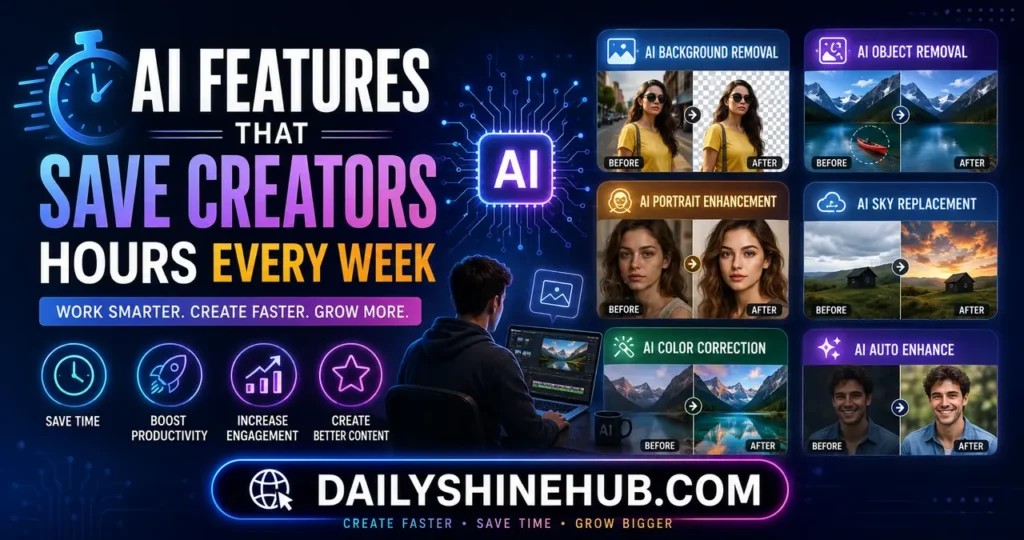
Artificial intelligence has transformed photo editing.
Modern editing apps now offer:
AI Background Removal
Replace messy backgrounds instantly.
AI Object Removal
Delete unwanted people, wires, or distractions.
AI Portrait Enhancement
Improve skin tones without making images look artificial.
AI Sky Replacement
Upgrade outdoor images with dramatic skies.
AI Color Suggestions
Automatically improve lighting and color balance.
These features dramatically reduce editing time while improving overall quality.
Tips for Creating Scroll-Stopping Reel Covers
Even the best photo editing app won’t help if your design isn’t optimized.
Follow these best practices:
- Use bold colors.
- Keep text minimal.
- Maintain consistent branding.
- Leave space around important elements.
- Use high-contrast backgrounds.
- Include expressive facial reactions when appropriate.
- Keep typography readable on mobile devices.
A compelling cover image encourages more users to tap and watch.
Building a Consistent Creator Brand
One mistake many new creators make is changing editing styles frequently.
Instead, create a recognizable visual identity by:
- Using the same color palette
- Saving custom presets
- Keeping similar brightness levels
- Choosing one font family
- Using consistent cover layouts
- Maintaining similar image composition
Consistency helps audiences recognize your content instantly.
Choosing the Right App Based on Your Content Style
Different creators have different needs.
Choose your editing app based on your niche:
- Lifestyle creators: Lightroom + VSCO
- Fashion influencers: Lightroom + Canva
- Business creators: Canva + Adobe Express
- Product reviewers: PhotoRoom + Lightroom
- Travel creators: Lightroom + Snapseed
- Food creators: VSCO + Lightroom
- Entertainment creators: PicsArt + Canva
Many successful creators use two or three apps together instead of relying on just one.
Common Mistakes Creators Should Avoid
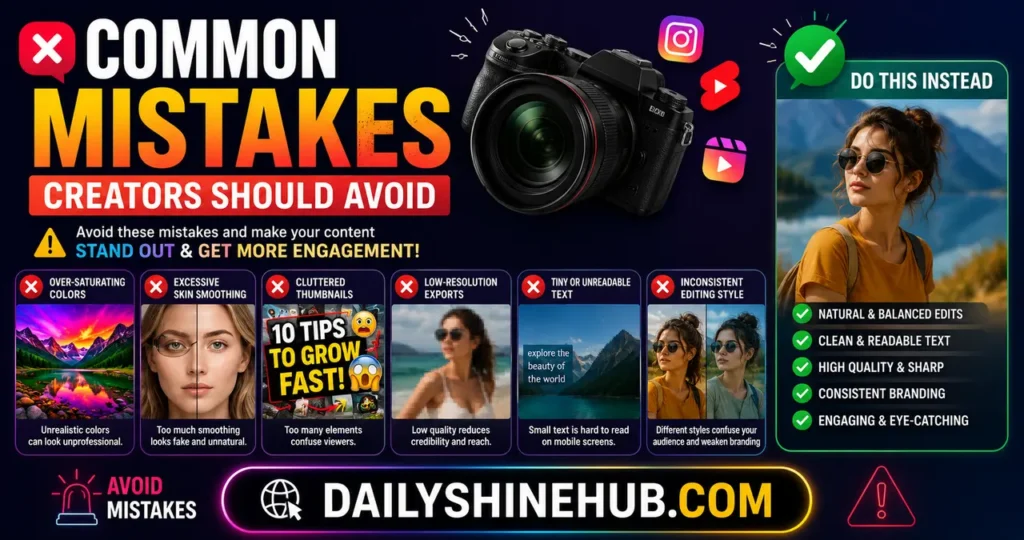
Editing mistakes can make otherwise excellent content appear unprofessional.
Avoid:
- Over-saturating colors
- Excessive skin smoothing
- Heavy sharpening
- Inconsistent filters
- Low-resolution exports
- Cluttered thumbnails
- Tiny, unreadable text
Natural, clean editing often performs better than overly processed images.
Final Thoughts
The best photo editing app depends on your content style, workflow, and creative goals. If you’re looking for professional-level control, Adobe Lightroom remains the top choice. For quick social graphics and Reel covers, Canva is hard to beat. If you’re on a budget, Snapseed offers impressive features for free, while VSCO excels at creating a cohesive visual aesthetic. Creators who need AI-powered edits and background removal should consider PicsArt or PhotoRoom, and those managing consistent brand assets will benefit from Adobe Express.
Ultimately, the most effective workflow often combines multiple tools. By selecting apps that complement each other and maintaining a consistent editing style, you can create polished visuals that strengthen your brand, improve engagement, and help your Reels and Shorts stand out in increasingly competitive social media feeds.
FAQs
1. Which photo editing app is best for creating Instagram Reel covers?
Canva is one of the best options because it offers customizable templates, easy drag-and-drop editing, and social media-ready dimensions for Reel covers.
2. What is the best free photo editing app for creators?
Snapseed is widely regarded as one of the best free photo editing apps, offering advanced editing tools without watermarks or subscription fees.
3. Should creators use multiple photo editing apps?
Yes. Many creators combine apps such as Lightroom for color grading, Canva for graphics, and PhotoRoom for background removal to streamline their workflow and achieve professional results.
4. Do AI photo editing tools improve social media content?
AI features like automatic background removal, object erasing, portrait enhancement, and smart color correction can significantly reduce editing time while producing polished, high-quality visuals.
5. How can I keep my Reels and Shorts visually consistent?
Use the same editing presets, color palette, fonts, and cover design style across your content. Saving custom presets in apps like Lightroom or using brand kits in Adobe Express helps maintain a recognizable visual identity.

Ethan Shine is a passionate content strategist, tech enthusiast, and digital media contributor at DailyShineHub. With over 5 years of experience in blogging and search engine optimization, Ethan specializes in breaking down complex topics into clear, actionable insights. When he isn’t researching the latest industry trends, he enjoys exploring global news, digital tools, and modern lifestyle concepts.